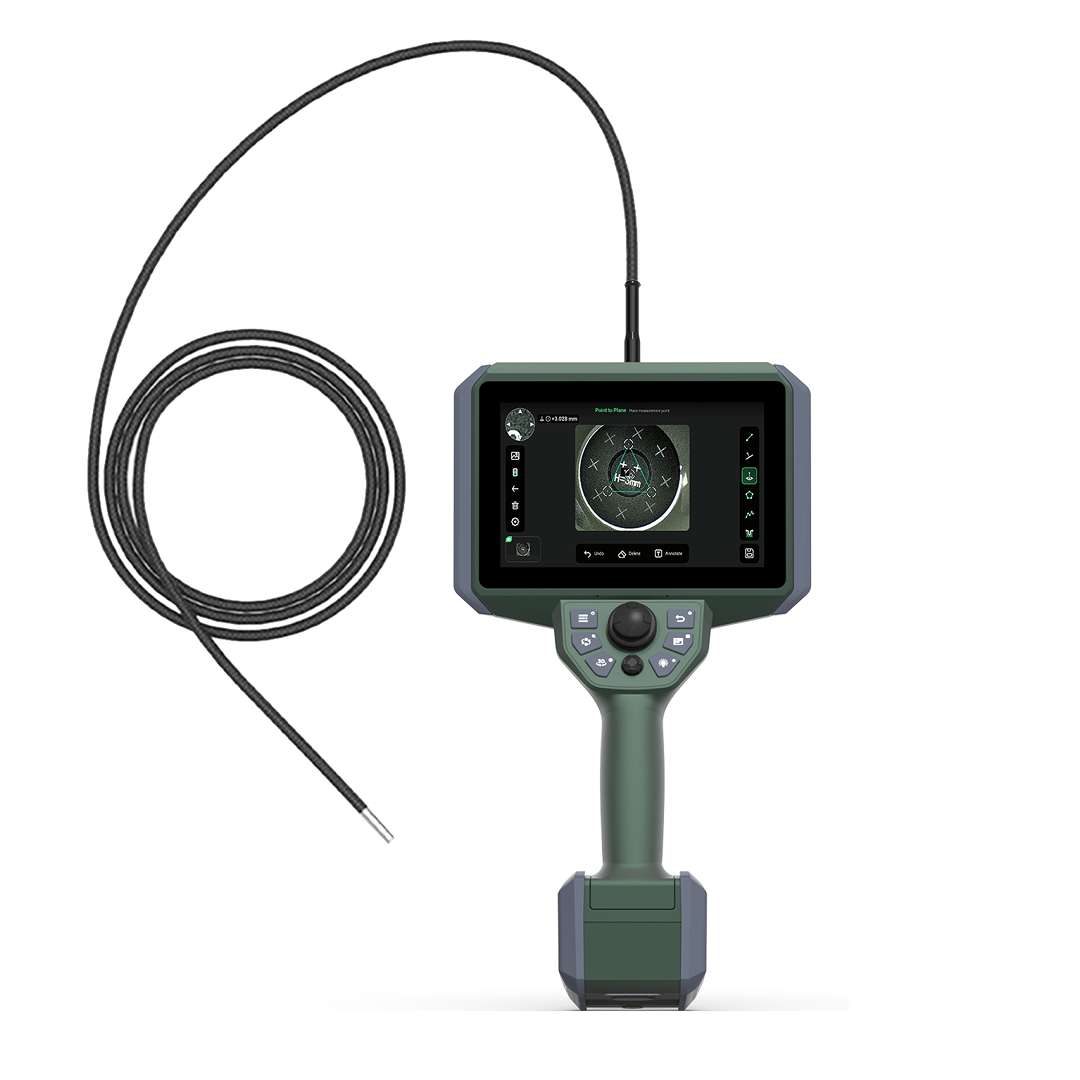
The COBB V3D is an industrial video endoscope with 3D measurement, available with a Ø4.0 mm probe. It reconstructs the observed surface and measures distances, areas and depths, even during inspections with narrow access points.
3D measurement in narrow access points
To measure an internal area, you first need to reach it. The V3D with a 4 mm probe combines a small diameter with 3D measurement: an option to consider when access is narrow and the inspection requires the dimensions of the observed surface.
The entire path must be assessed: entry opening, restrictions, bends and the space needed to direct the tip toward the detail. The probe diameter matters, as do the size of its tip and the ability to position it to observe the area to be measured.
The V3D is also available with a Ø6.0 mm probe. The choice of length and viewing direction depends on the application. The system configurations are described in the COBB V3D technical datasheet .
Two points on the surface and a distance to read
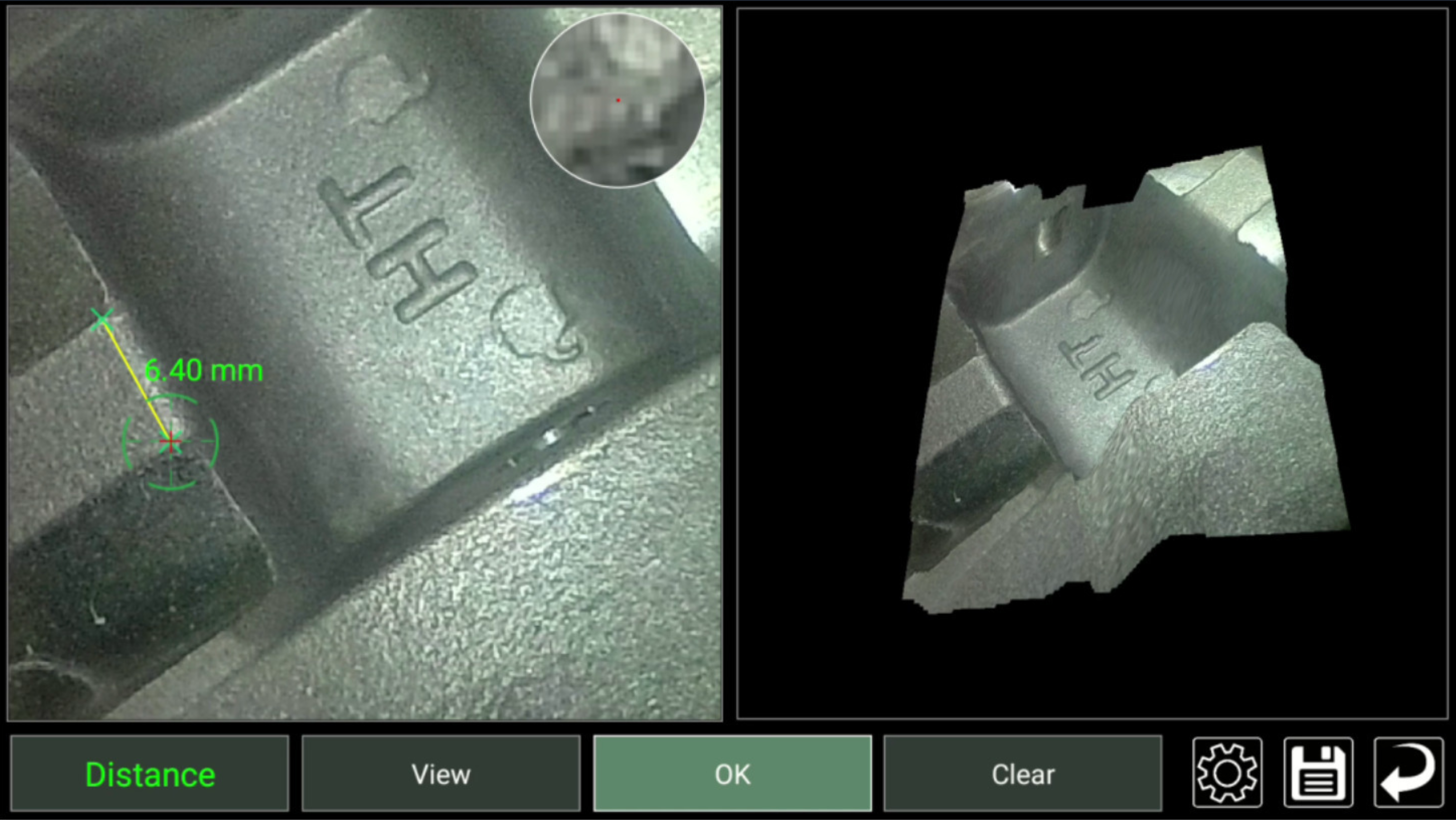
In the COBB demonstration screen, the endoscopic image and the 3D reconstruction show the same area. With the Distance function, you select two points on the surface and read the direct distance between them.
-
Identify the endpoints.
In the image on the left, locate the area to inspect and choose the two points between which you want to measure the distance. -
Check the geometry.
The reconstruction on the right shows the shape of the surface and helps you verify where the selected points lie in space. -
Read the result.
For the points shown, the display reads 6.40 mm. The value refers to the direct distance between the selected endpoints.
What the point cloud adds
Binocular technology captures two views of the same area to reconstruct its shape. The point cloud describes the surface through points with positions in space. The image helps identify the detail; the 3D data makes it possible to measure it. The side-by-side views help relate the value on the display to the selected points on the surface.
Define an area and measure a depth
Area
With the Area function, the operator selects several points along the edge of the region to be measured. The V3D calculates the area enclosed by the outline. The selected points should follow the part of the surface relevant to the inspection, because they define its perimeter.
Depth
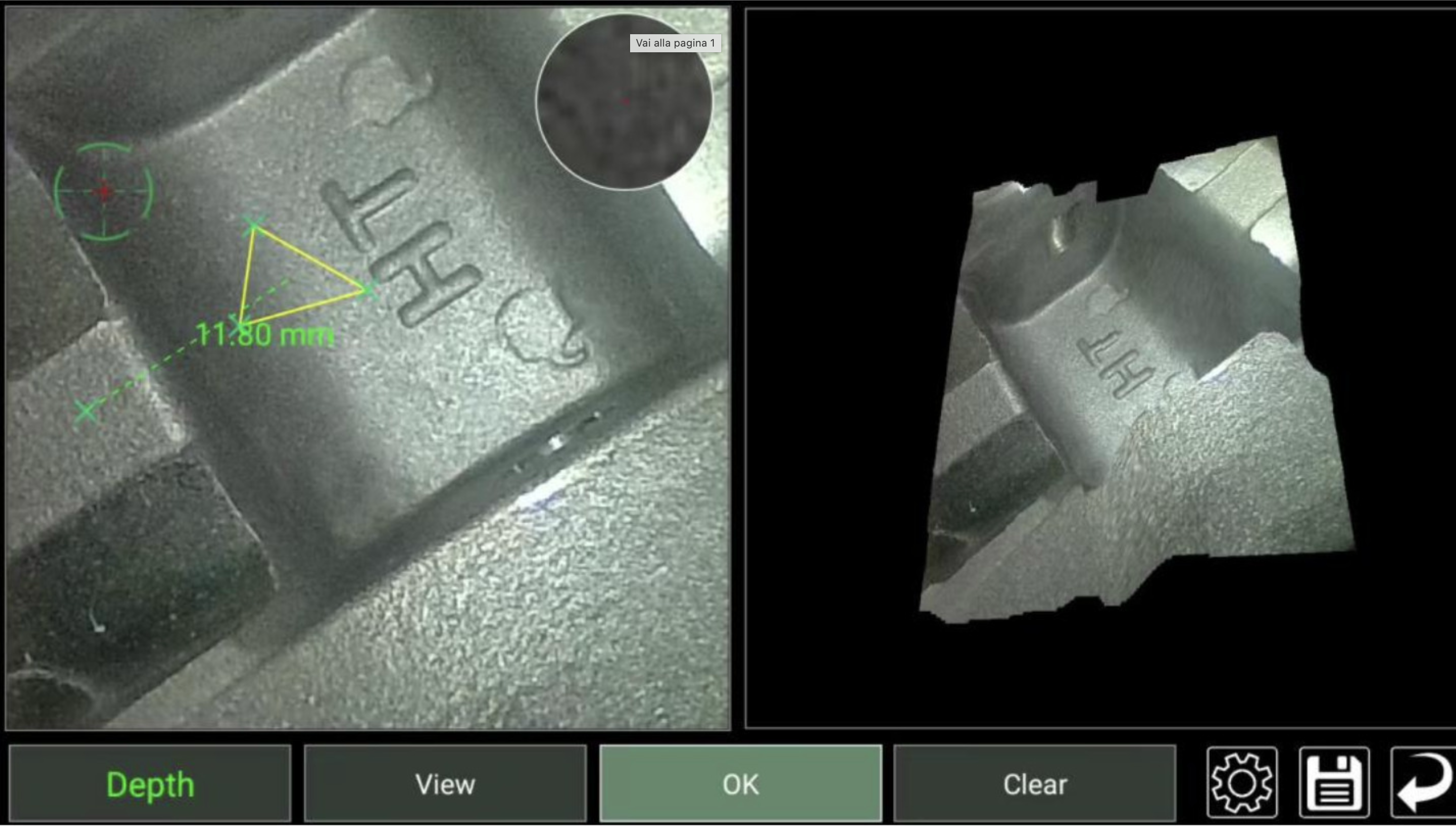
The Depth function measures the position of a point relative to a plane defined by points selected on the surface. In the COBB demonstration screen, the yellow triangle makes this reference visible. The result of 11.80 mm is the position of the measured point relative to that plane.
To measure a recess, the plane should be defined on the surface used as the reference for its depth. If the reference points lie on a deformed area, the meaning of the measurement changes as well.
For other geometric requirements, the V3D also offers point-to-line distance, multi-segment paths, Camber Depth for curved surfaces and a depth profile along a selected section.
See how points and references are selected
The video shows how the operator starts the 3D reconstruction and selects points on the display. The sequence covers distance, point-to-line distance, area, depth and Camber Depth; the depth profile appears near the end.
Rotating the model makes it possible to view the surface from another angle. The on-screen explanations help viewers follow each step and the operator’s choices. The video illustrates the V3D functions; it does not establish the instrument’s accuracy on a specific component.
Document the inspection with images and reports
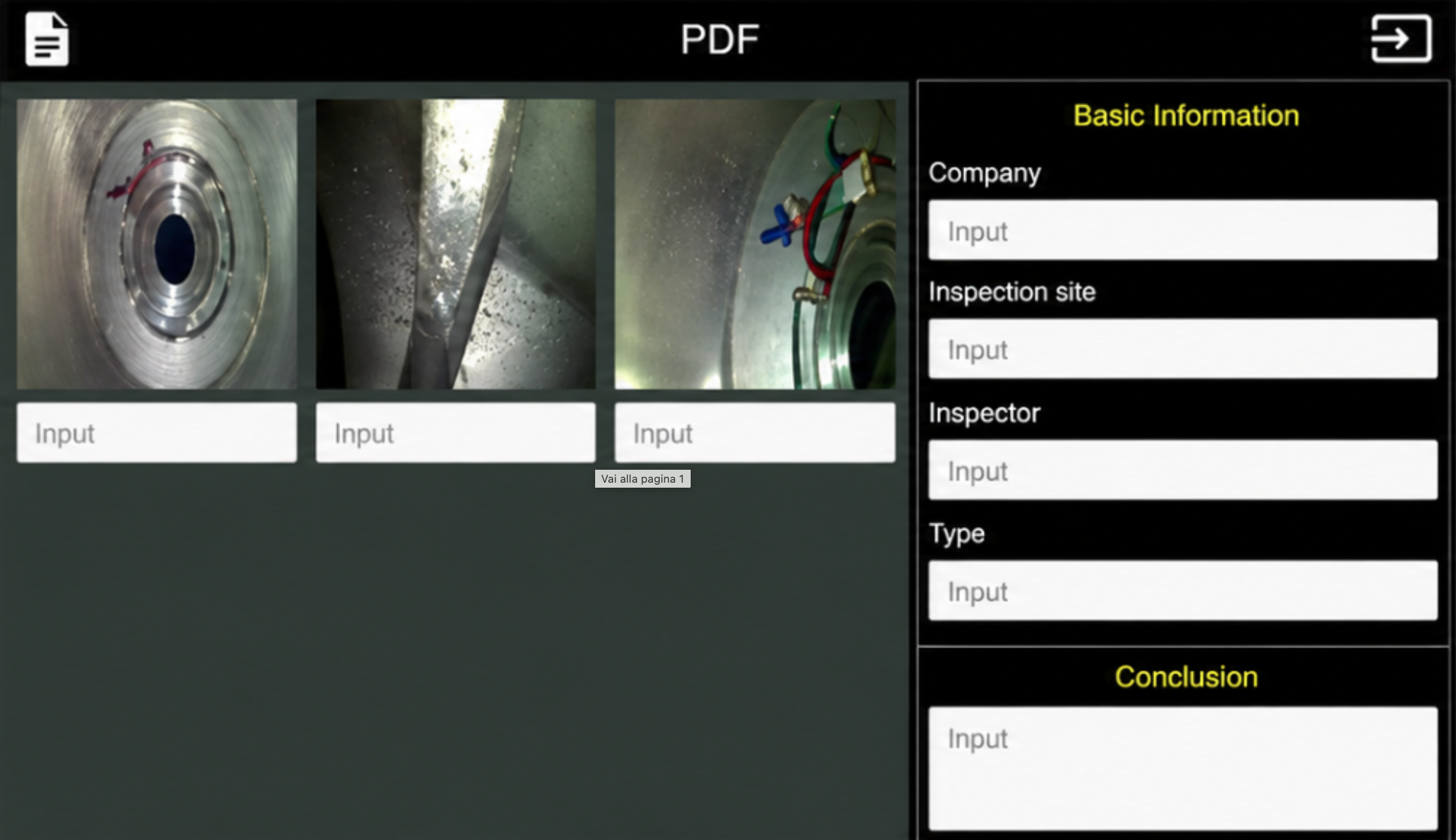
The V3D captures images and videos and generates PDF reports containing images and inspection data. Bookmarks added during recording help locate important moments.
A report should make clear what was measured and how. Include the component, the inspected area, the measurement function and the selected points, along with the result and its unit. Also record any acquisition conditions that could affect the reading.
When 3D is needed and when 2D may be enough
Comparative 2D measurement compares a dimension with a known reference in the image. It is suitable for details on the same plane as the reference, with consistent distance and perspective. 3D measurement uses the reconstructed surface to measure between points in space and determine positions relative to a reference. To choose between them, establish what needs to be measured and check that the surface is visible and can be reconstructed.
Two questions before the inspection
Can the internal depth of a crack be measured?
Optical measurement concerns the visible surface that can be reconstructed. If the bottom of the crack cannot be seen, its internal depth cannot be determined from the visible trace alone.
How should a measurement be assessed against a tolerance?
You need to know the documented accuracy under the conditions of use and verify that the measurement method is repeatable. The decimal places shown in the examples indicate the displayed result, not the accuracy of the measurement.
Consider the V3D for your inspection
Tell COBB about the component, the narrowest passages, the bends and the area you need to reach. Specify what you want to measure: distance, area, depth or profile. Add the operating conditions and any required tolerance. Photos or drawings of the component will help assess the right configuration for your inspection.
Discuss your application with COBB ↗
